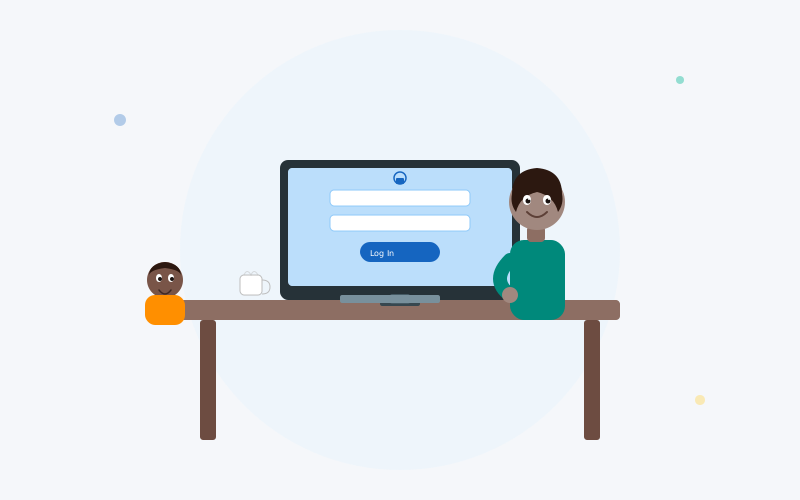
Managing your finances online should be simple and secure. After being approved for a loan through Post Lake Lending, having access to a personal account portal allows you to stay on top of your payments, review your balance, and keep your financial information organized — all from the convenience of your home.
Understanding Your Borrower Account
Once your loan application is approved and you've accepted the terms from your matched lender, you'll typically receive account credentials via email. This account gives you access to a secure portal where you can manage your loan details, view your payment schedule, and track remaining balances.
The borrower portal is designed with simplicity in mind. Most lenders in the network provide a dashboard that presents your key loan information at a glance, including upcoming payment dates, principal balance, and interest accrued. This accessibility empowers borrowers to stay informed without needing to call or email support.
Steps to Access Your Account
Signing into your borrower account is a straightforward process. Follow these general steps, keeping in mind that specific details may vary slightly depending on which lending partner you were matched with.
Step 1: Locate the Portal
Check the welcome email you received after your loan was funded. It should contain a direct link to the borrower portal, along with your initial credentials or instructions to set up your password. If you can't find the email, check your spam or junk folder.
Step 2: Enter Your Credentials
Navigate to the provided portal URL and enter your registered email address and password. Most portals require only these two pieces of information. Some lenders add an additional security layer, such as two-factor authentication, which sends a verification code to your phone or email.
Step 3: Navigate the Dashboard
After logging in, you'll have access to your loan dashboard. From here, you can view your current balance, check past and upcoming payments, download statements, and update your personal information. Familiarize yourself with the available features to make the most of the portal.
Resetting Your Password
Forgot your password? Don't worry — it happens to everyone. Most borrower portals include a "Forgot Password" or "Reset Password" link on the sign-in page. Here's the general process:
- Click the password reset link on the sign-in page.
- Enter the email address associated with your account.
- Check your inbox for a reset email containing a secure link.
- Click the link and create a new, strong password.
- Sign in with your updated credentials.
For security reasons, password reset links typically expire within 24 hours. If the link has expired, simply request a new one through the same process.
Keeping Your Account Secure
Protecting your financial accounts is essential. Here are several best practices to maintain the security of your borrower portal access:
- Use a strong, unique password: Combine uppercase letters, lowercase letters, numbers, and special characters. Avoid reusing passwords from other accounts.
- Enable two-factor authentication: If available, this adds a valuable extra layer of protection beyond just your password.
- Avoid public Wi-Fi: When accessing financial accounts, use a secure, private network to reduce the risk of data interception.
- Monitor your account regularly: Review your payment history and balance periodically. Report any unauthorized activity immediately to your lender's support team.
- Log out after each session: Especially when using a shared device, always sign out completely when you're done.
Troubleshooting Common Access Issues
Occasionally, borrowers encounter issues when trying to reach their account. Here are some common problems and practical solutions:
- Incorrect credentials: Double-check your email and password for typos. Remember that passwords are case-sensitive.
- Account locked: Multiple failed attempts may temporarily lock your account. Wait the specified time period or contact your lender's customer support for assistance.
- Browser issues: Clear your browser cache and cookies, or try using a different browser. Ensure your browser is up to date for compatibility.
- Email not recognized: If the portal doesn't recognize your email, ensure you're using the same address you provided during the application process.
Benefits of Managing Your Loan Online
Having access to an online portal offers several advantages beyond simply checking your balance. Borrowers can set up automatic payments to avoid missed deadlines, download tax documents when needed, and communicate with their lender directly through secure messaging. These features collectively streamline the borrowing experience and reduce the administrative burden that often accompanies traditional loan management.
Final Thoughts
Your borrower account is a valuable tool for staying in control of your loan obligations. By understanding how to access the portal securely, keeping your credentials protected, and taking advantage of the available management features, you can navigate the repayment process with confidence. If you encounter any issues, your lender's support team is available to help resolve them promptly.
Don't Have an Account Yet?
Start your loan application today. The process takes just a few minutes and there's no obligation to accept any offer you receive.
Request a Loan